
A goal in. A sourced report out.No wizard.
GUS Consult is the report-building workspace at /reports. State what you want to understand — "an economic baseline of the city", "housing supply risks across districts" — and GUS does the legwork. It searches your document library by meaning, asks a short chip brief one question at a time, shows you a plan card with the documents it will cite and the sections it will write, and only generates after you approve. The output is a structured report that weaves your planning documents (with page-level citations), the city's measured data, and interactive charts. Refine in plain language. Export PDF, Word, or PowerPoint.
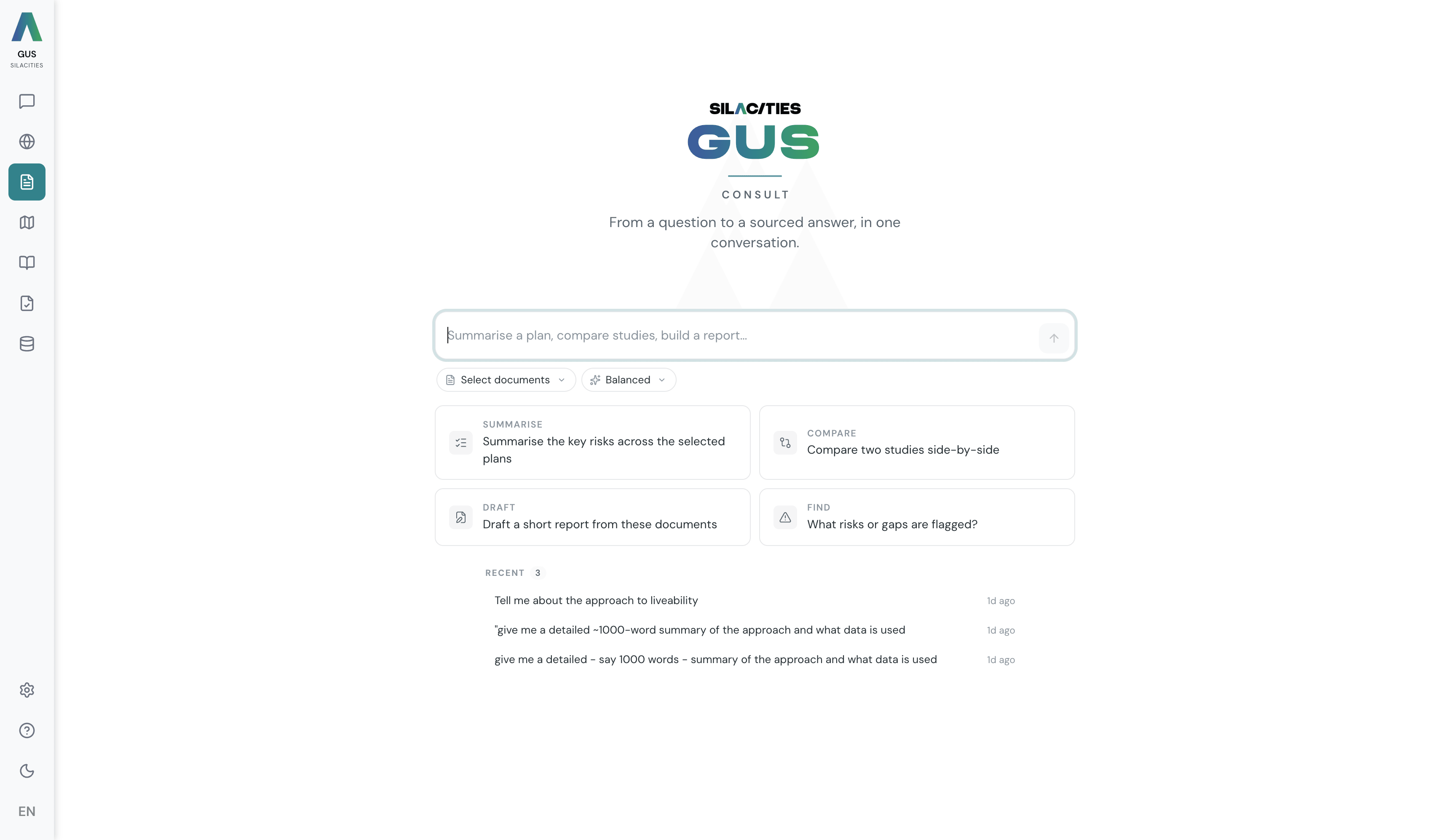
State the goal. Approve the plan. Get the report.
No report-type picker. No expert team to assemble up front. You describe the outcome; GUS handles the rest, and you sign off on the plan before it writes a thing.
State your goal
Type what you want in plain English in the Composer · "create a demographic baseline for the major districts", "summarise housing supply risks", "build a workforce sustainability brief". The Documents and Lens pills below stay optional — you do not need to pick documents or an expert lens to begin.
GUS finds the right documents
It searches your whole document library by meaning and pulls the most relevant plans, strategies and studies. You do not need to know what is in the library to ask a question of it.
Answer the chip brief
GUS asks a short brief, one focused question at a time, with tappable suggestions you can pick — or type your own answer instead. What to focus on. Which districts. The time horizon. How deep to go. Each answer narrows the next question.
Review the plan card
A compact card shows what GUS will do · the documents it will cite, the data it will use, the sections it will write, and the lens it will write through. Remove documents you do not want. Adjust the mix. Nothing generates until you click Generate.
Get a real report. Refine in plain language
GUS writes an executive summary, lens-driven sections that cite documents with page references, the city's relevant statistics, and interactive charts — progress shown live. Not quite right? Ask · "add a section on workforce sustainability", "make it more detailed". GUS revises the plan card carrying documents, data and lens forward, then regenerates. Export PDF, DOCX or PPTX.
Pick the perspective. The report is framed accordingly.
A lens shapes how the report reads — which questions it foregrounds, which charts it foregrounds, the voice of the sections. The composer chooses a default lens from your goal; switch it on the plan card before you generate.
Urban Economist
Economic geography, employment centres, market patterns, investment. ISIC-classified activity at neighbourhood resolution. Sector mix, spatial GDP modelling, supply-demand gap analysis between population need and service provision.
Demographer
Population analysis, age distribution, migration, growth projections. Estimated from telecom, mobility and satellite signals, no census dependency. Demographic projections by catchment.
Transport Planner
Mobility, accessibility, transit planning, traffic patterns. Urban Pulse signals · footfall, visitor flows, dwell times, mode-split, seasonal patterns across the 24 hour day.
Urban Designer
Built environment, public realm, urban form, design quality. Urban Spaces engine on computer vision, NLP and ML clustering. Typology profiling, network analysis, evidence-based design recommendations.
Environmental Specialist
Green space, sustainability, air quality, climate resilience. Satellite imagery and land cover over time, construction activity, environmental layers, infrastructure expansion.
Community Planner
Quality of life, satisfaction, social indicators, community needs. Social Atlas engine on the dual-layer framework · 15 service domains on a 0 to 10 scale for operations, 11 SDG-aligned planning categories for policy.
Service Delivery
Municipal services, infrastructure coverage, service quality, public facilities. Calibrated satisfaction with the specific aspect that drove the experience and the emotion behind it. Differentiates crisis from complaint from accepted friction.
Every claim in a Consult report carries a citation — the document title, the page number, and a link to the source PDF where permissions allow. The data behind the charts comes from the same canonical sources the dashboards use, so the report and the live dashboard tell the same story. Interactive charts render on screen; PDF / Word / PowerPoint exports embed the rendered figures.
Why a Consult report is not a summary.
Goal-first, not form-first
You describe the outcome. GUS handles discovery, data, and structure. The old multi-tab wizard — pick a type, tune the depth, assemble the team — is gone.
Hybrid, not a paraphrase
Reports weave your documents (quoted and cited) with the city's measured data — population, employment, satisfaction, real estate, activity — and charts generated from that data. It is not a summary of one document.
Sourced and checkable
Every claim cites the document title and page, with a link to the source PDF and the page in question. Findings can be verified by the reader.
The plan card is the checkpoint
Nothing generates until you approve. Remove documents you do not want cited, swap the lens, adjust the section outline — only then click Generate. No surprise output.
Refine in plain language
A finished report is not frozen. Ask for a change — "add a section on workforce sustainability" — and GUS revises the plan card carrying documents, data and lens forward, then regenerates from the new plan.
Board-ready, in the format they expect
PDF for print. Word (DOCX) for editors. PowerPoint (PPTX) for boardrooms. Charts and maps are rendered as figures in the export — for live, explorable layers, use Atlas or GUS Map.
We used to spend six weeks on a strategy brief. The first one through GUS Consult landed in three hours, and two of our client's board members said it was the best-sourced document they had seen from us.